
MANDUMON
Design QR – Free QR Codes in Heart, Circle & Emoji Shapes
Design QR is a free tool for turning a link, Wi-Fi login, text, email, phone number or SMS into a QR code you can style with shapes, colors, logos and frames. The codes are static, so there is no redirect server and no expiry date, and your content and images are processed inside your browser. Save an SVG for print or a PNG for sharing.
Use it nowFeatures
Many input types
Encode a website link, Wi-Fi details (network name, security type, password, hidden network), plain text, an email, a phone number or an SMS.
Shapes and colors
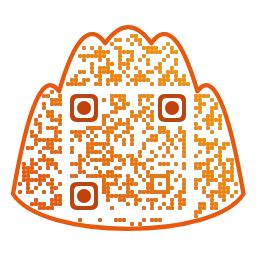
Pick an overall shape such as heart, star, cloud, speech bubble, dumpling, emoji or your own image, then use one of 14 presets, solid or gradient colors, dot and eye shapes, or a transparent background.
Logo and frame
Place a built-in icon or your own logo in the center, and add a card or speech bubble frame with a caption. Adding a logo raises error correction automatically.
Image QR
Blend a photo into the QR pattern in Image QR mode. Adjust position, zoom, brightness, contrast and data dot size, and choose black and white or color.
Save as PNG or SVG, copy or share
Choose a PNG size, or save an SVG from a design QR for print. You can also copy the image or share it. Always scan the saved file at its real size before printing.
No sign-up, no expiry
Free and no account needed. With no intermediary server, your code does not stop working when a subscription ends, though the website it points to must stay online.
How to use
- Choose what to encode. Pick a type such as link, Wi-Fi or text and fill in the content.
- Select a preset or overall shape, then adjust colors, dot shapes, logo and frame while watching the preview. Switch to Image QR mode if you want to use a photo.
- Save as PNG or SVG, scan the saved file yourself, and then print or share it.
Use cases
- Put a Wi-Fi QR in a cafe or rental so guests join without typing a password.
- Add a link QR to a business card or portfolio handout that opens your introduction page.
- Place a QR on invitations and event posters that leads to schedule and RSVP details.
- Create a menu or Instagram QR styled to match your shop.
Frequently asked questions
Is it really free?
Yes. Creating and saving a static QR costs nothing and needs no account, and a saved code does not turn into a paid link later.
Will my QR code expire?
The pattern itself has no expiry date. The page it points to can still move or close, which would make the scan lead nowhere.
Can I change the destination after printing?
No. The address inside a static QR cannot be edited, so a different destination needs a new code. You can update the contents of a page you control as long as its address stays the same.
Are my links or Wi-Fi passwords sent to a server?
No. The QR is generated in your browser and your content and images are not sent anywhere. Only design settings such as colors and shapes are remembered on your device.
My QR code does not scan. What should I check?
Increase the contrast between dots and background, keep the blank margin, and make any logo small. Try a larger print or a simpler preset, and scan the saved file with a real phone.
Related guides
Will a Designed QR Code Still Scan?
Custom shapes, colors and logos can make a QR code stand out, but they can also break it. Learn how error correction, finder patterns, quiet zone, contrast and logo size affect scanning.
A Guide to QR Code Size, Margin and Resolution for Print
How big should a printed QR code be? Rules of thumb for size versus scanning distance, the four-module quiet zone, vector or high-resolution files, and material and glare issues.
QR Code or Short Link: Which Should You Use?
QR codes suit printed material and short links suit online sharing. This guide compares the two, including tracking, expiry, and why a static QR must be regenerated when the link changes.
Making Menu and Wi-Fi QR Codes for Your Shop
How to create a menu QR code and a Wi-Fi login QR code for a cafe or restaurant. Includes the WIFI: format, security cautions and printing tips for table stands.
How to Make a QR Code for a Wedding Invitation
A practical walkthrough for adding a QR code to a paper or mobile wedding invitation: preparing the link, choosing heart or couple shapes, print size, wording and a test checklist.