Making Menu and Wi-Fi QR Codes for Your Shop
How to create a menu QR code and a Wi-Fi login QR code for a cafe or restaurant. Includes the WIFI: format, security cautions and printing tips for table stands.
- Published
- Updated
A QR code standing on every table makes it far easier for customers to open your menu and join your Wi-Fi. A code that contains a password also needs a little security thinking. Here is how to make both kinds, and what to watch for.
Making a menu QR code
A menu QR code simply holds the address of your menu page, so decide that address first.
- Prepare a mobile-friendly menu page or a public PDF. Large PDFs can be slow on mobile data.
- Use a stable address you can keep for a long time. If you edit the menu at the same address, you never need to reprint the code.
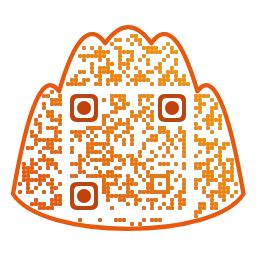
- Enter the address in the URL field and pick colors and a shape. A shaped code, such as the mandu dumpling, can match the mood of your shop.
- Add a short caption such as "See the menu" under the code with the frame feature.
- Scan the saved file yourself and confirm that the menu opens.
How a Wi-Fi QR code works
A Wi-Fi QR code does not hold a web address. It holds the connection details themselves as text. The widely used format looks like this.
WIFI:T:WPA;S:NetworkName;P:password;;
- T is the security type: WPA (covering WPA/WPA2 and similar), WEP, or nopass when there is no password.
- S is the network name (SSID).
- P is the password.
- If the name or password contains characters such as ; , : \ or ", the common convention is to escape them with a backslash. You do not need to write this by hand, because the tool does it for you.
This format is a de facto convention, not an ISO standard. The default camera apps on current iPhone and Android phones mostly recognize it and offer a "join network" button, but behavior can differ between devices, so test on real phones.
In the Wi-Fi tab of Mandu QR you never type that string. Enter the network name, choose the same security type as your router, and add the password. Turn on the hidden-network option only if your network is hidden. For secured networks, the tool asks for a password.
Security rules to follow
- The password is stored in the code as plain text. Anyone with an image of the code can read it out, so it is neither encrypted nor hidden.
- Do not post the password for an internal network that staff devices or payment terminals use. Create a separate guest network for customers.
- If you change the name or password, the posted code stops working. Make a new one and replace it every time.
- If a customer photographs the code and posts it online, your password goes public with it.
Printing tips for table stands
- Customers scan at arm's length from their seat. As a rule of thumb, print at 3 to 4 cm or larger, and bigger still if you use a shape or a logo.
- Prefer matte lamination. Glossy lamination or acrylic reflects lights and makes scanning difficult.
- Keep an empty margin of at least four modules around the code, and do not let the fold line of a stand run across it.
- Label the menu code and the Wi-Fi code clearly. If both share one stand, leave generous space between them.
- Where drinks splash or hands leave marks, print copies that are easy to swap.
Before you print
- Scan the saved file with both iPhone and Android.
- Check that Wi-Fi really connects and that the menu opens the correct page.
- Sit at the real table, under the real lighting, and scan it from there.
Keeping it running
Posting the code is not the end of the job. If the menu address changes or the site closes, customers see a blank page. Scan your own code about once a month and check that prices and sold-out items are current. The pattern of a static QR code never expires, but the page it points to must stay online. Using a fixed address where only the content is swapped means you never have to remake the code when the seasonal menu changes.
Mandu QR is free, needs no sign-up and builds URL and Wi-Fi codes in your browser. What you type, including the password, is not sent to a server.
Make menu and Wi-Fi QR codes in Mandu QR
"QR Code" is a registered trademark of DENSO WAVE INCORPORATED.