
Deciding Order, Teams and Winners in a Group: Draw, Ladder, Wheel or Dice?
Presentation order, lunch choice, penalties, team splits: the small ‘who goes first, who wins’ decisions every group faces, compared game by game. The three Draw modes (winners, order, teams), Ladder (2 to 12), Wheel (2 to 100 items with weights) and Dice/Coins/Numbers, with their participant limits, result shapes, preset lists and saved input, plus a recommendation for each situation, all verified against the app's code.
- Published
- Updated
Time drains away in meetings deciding who presents first, in clubs splitting into teams, and at lunch choosing a restaurant, until someone says ‘let's just flip for it’. The ‘Friends’ and ‘Groups’ categories of Mandumon Games contain six games for exactly these small decisions, and each produces a different shape of result. Whether you need one pick, a complete order or a set of groups determines which game fits. This guide lays the differences out like a table and recommends one game per situation.
At a glance: result shape and participant limits
- Draw (/draw/): 2 to 100 names. Three modes: N winners / shuffled order / N teams. Instant result, no animation.
- Ladder (/ladder/): participants and result slots in equal numbers, 2 to 12. Reveal paths one by one or all at once. You type the slot labels yourself, such as ‘win’, ‘lose’ or ‘penalty’.
- Wheel (/wheel/): 2 to 100 items, optional weights from 1 to 100. One pick after a deceleration animation. ‘Remove winner and spin again’ turns it into an order generator.
- Dice/Coins/Numbers (/dice/): 1 to 6 dice, 1 to 10 coins, or 1 to 100 numbers from a range (−1 billion to 1 billion, duplicates optional). 2 to 100 participants can each roll, with highest and lowest highlighted.
- Animal Race (/race/): 2 to 12 people assigned to 12 animals, about a 7-second race. First or last mode, full ranking as the result.
- Liar Game (/liar/): 3 to 12 players, a pass-the-phone role game. For fun rather than for drawing lots.
Every game uses the same seed system. A cryptographic random seed is created at Start, and the share link (#r=) carries only the seed, input and options rather than the result; the recipient's browser recomputes and replays the same outcome. Your input list is saved in this browser's localStorage for next time, can be pasted with line breaks or commas, and preset lists such as lunch menus, penalties and coffee bets are one tap away.
Situation 1: ordering presentations, meals or chores
When you need the whole order at once, Draw in Order mode is fastest. Paste the names, set the mode to Order, and a full Fisher–Yates shuffle appears instantly. There is no animation, it takes a second, and one link lets everyone check it.
- If you want a show: Animal Race (12 or fewer). The result is a full ranking, which doubles as the order sheet.
- If you want to reveal the order one dramatic pick at a time: use Wheel and repeat ‘Remove winner and spin again’. The pick order is the presentation order. Each spin uses a new seed, so you end up with several links.
- Above 12 people, Ladder and Race are out; use Draw or Wheel (100).
Situation 2: picking exactly one person: penalty, prize, today's speaker
For a single pick you have four options. They differ in presentation and in what exactly is being drawn.
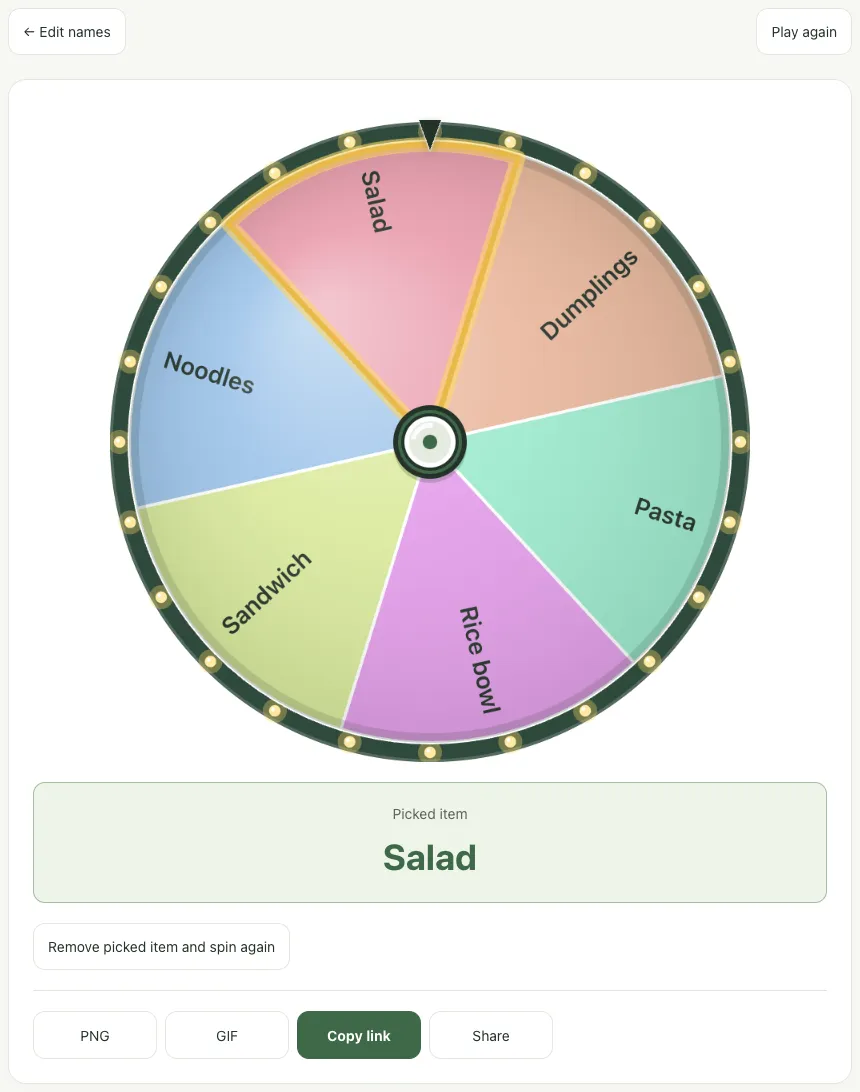
- Wheel: enter names as items and spin. The most familiar choice and good on a shared screen. Slices narrower than 7° drop their labels, so with 50 or more names read the result and the list instead of the wheel.
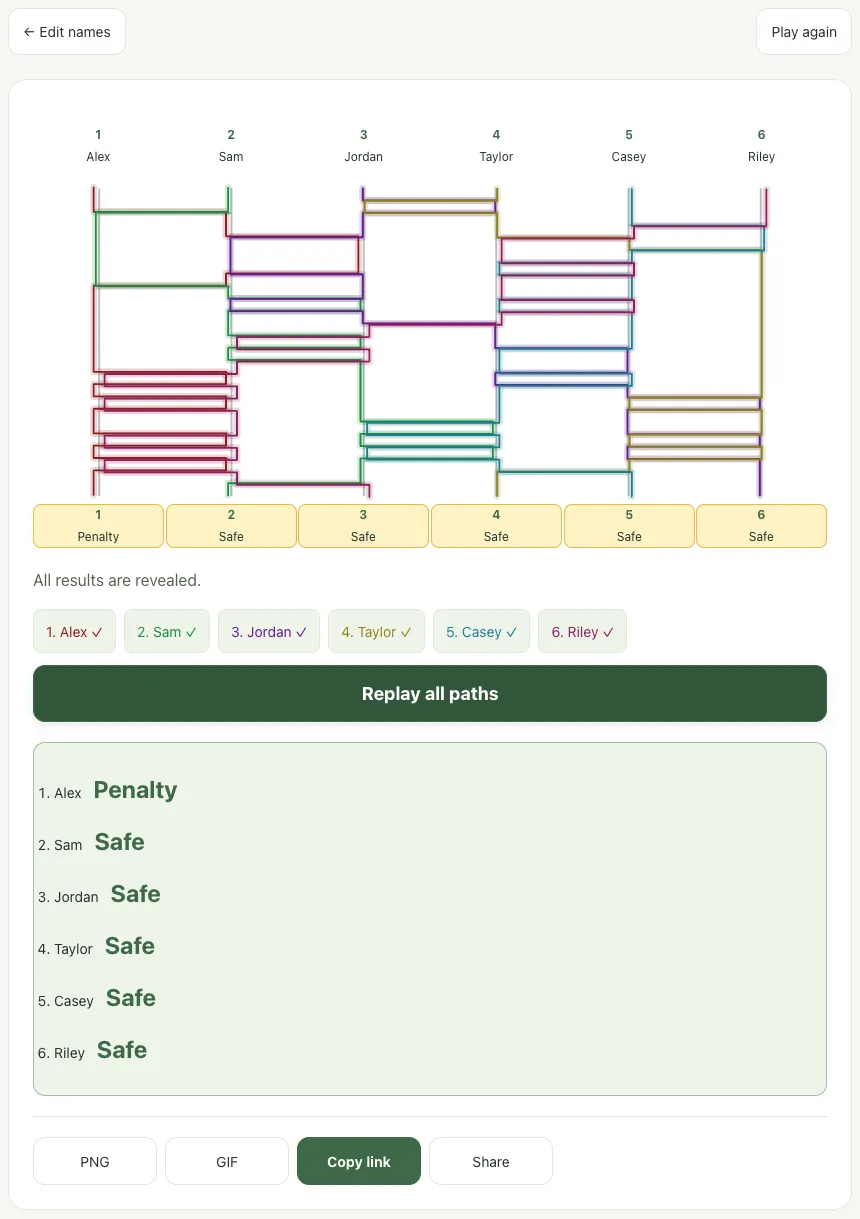
- Ladder: people on top, one ‘penalty’ slot and the rest ‘safe’ at the bottom. Slots must equal participants, so six people means penalty 1 + safe 5. Revealed paths stay drawn in each person's colour, and tapping a participant chip highlights their path in bold, so you can show someone exactly where their line went.
- Draw with 1 winner: instant and plain. For when only the answer matters.
- Animal Race in Last mode: built for penalties. The last-place finisher is highlighted.
Situation 3: choosing an option such as lunch or a destination
When you are picking a choice rather than a person, Wheel is the default. A lunch preset is included so you can spin immediately, and you can enter 2 to 100 items. Turn on weights to express preferences such as ‘Korean 2, Chinese 1, Western 1’; a weight of 2 doubles both the probability and the slice size. Editing an item's text resets its weight to 1, so finalise the items before setting weights.
- One of two: a single coin. Heads and tails are 50% each.
- Many candidates and a ranking: put the options into Draw in Order mode. You get places 1 to N, so if the first choice falls through you move to the second.
- Numbered choices (seat numbers, ticket numbers): the Numbers mode on the Dice page draws K values from 1 to N without duplicates.
Situation 4: splitting into teams
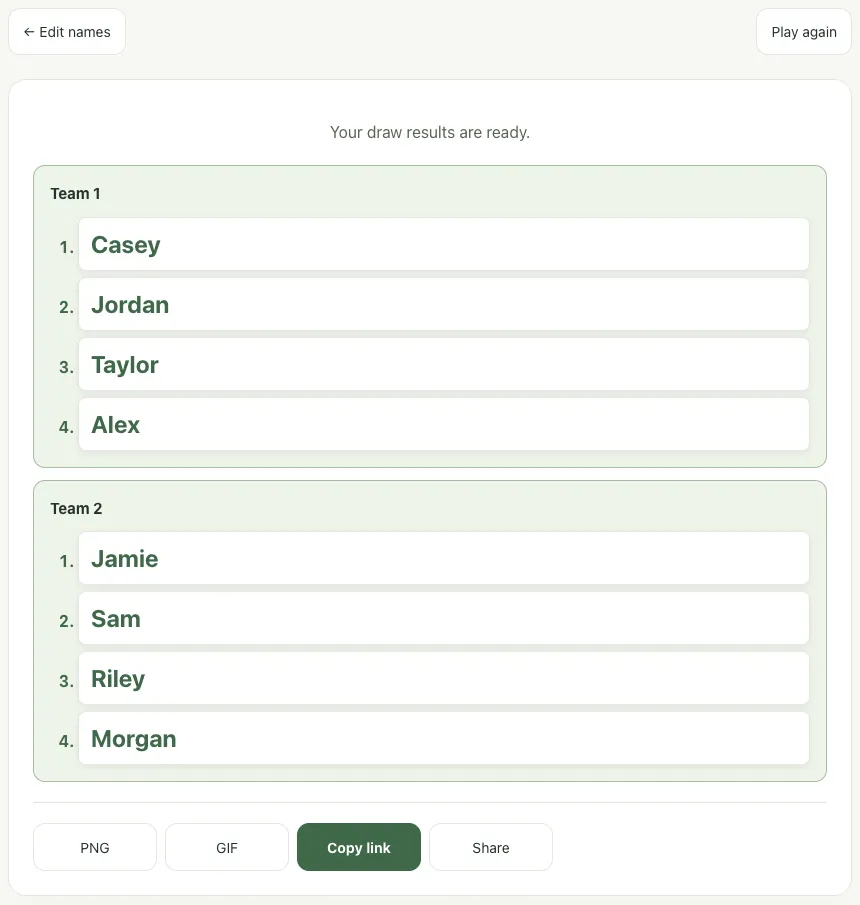
Draw's Teams mode is the dedicated tool. Everyone is shuffled once and dealt out 1, 2, 3, 1, 2, 3 …, so team sizes differ by at most one, and the result is shown as per-team rosters. The number of teams must be at least 2 and no more than the number of participants.
- To pick captains first and then assign the rest: enter everyone except the captains, split into N teams, then attach a captain to each.
- If skill balance matters, random assignment is the wrong tool. This only guarantees equal head counts.
- Identical names are distinguished by position in the list. If two people share a name, write ‘Minsu A’ and ‘Minsu B’.
Situation 5: when you need numbers: dice, coins and ranges
- A stand-in for board game dice: 1 to 6 dice, with a rolling animation and the total.
- Several people each rolling: turn on per-participant rolling and enter 2 to 100 names. Everyone rolls under the same settings, and the totals (heads for coins) show every tied highest and lowest. Ties are not hidden, so agree on a re-roll rule beforehand.
- Range numbers: set a minimum and maximum (−1 billion to 1 billion), a count (1 to 100) and whether duplicates are allowed. The no-duplicates rule applies per participant. Use it for number draws such as ‘5 distinct numbers from 1 to 100’ for a 100-entry raffle.
- Names and per-mode settings are saved in the browser so the next meeting opens with them ready.
Sharing and keeping results
Every game offers Share on the game screen, which copies the link and, on supporting devices, opens the system share sheet. A 1080 px PNG and a 360 px GIF under 3 MB can also be downloaded. Whoever opens the link sees the same animation and result: Ladder with all paths revealed, Wheel decelerating along the same curve. The link contains every name and setting, so check the names before sharing outside the group. The Liar Game is the exception: its link opens the answer-reveal screen, so share it only after the game.
Common mistakes and fixes
- The ladder will not build: participant and slot counts differ, or fall outside 2 to 12. Pad the slots with ‘safe’ until they match.
- Names are missing on the wheel: slices under 7° have no labels. Common beyond about 50 items; the names are in the result and the list.
- All weights went back to 1: editing item text resets them. Finalise items first, then set weights.
- Play again did not spin straight away: press Start on the ‘Play again with the same settings’ screen. That is when the new seed is created.
- A slot label with a comma split in two: commas and line breaks are item separators. Use a middle dot or a slash instead.
FAQ
Can I fix the result in advance and make it look random?
There is no such feature. The seed is created by the browser's cryptographic random generator at Start and cannot be chosen by the user. Nothing stops someone from constructing a link externally that produces a desired result, though, so when fairness matters, watch the Start moment together.
Where are the names I enter stored?
Only in this browser's localStorage (keys prefixed mandumon-game:), never on a server. Input and play still work where storage is blocked, and names inside a share link are read only by the recipient's browser.
What about groups larger than 100?
Draw, Wheel and Dice cap at 100. Beyond that, use Marble Drop, Survival Draw, Balloon Race or Disaster Dodge in the ‘Large draws’ category (up to 1,000) and keep links short with number-range input.
Related tools and guides
Running a Fair Draw for Events and Giveaways
Large Draws for Hundreds of People: Marble Drop and Survival
A tool for this guide
Mandumon Games
LivePlay wheel, ladder, animal race, Marble Drop, Survival Draw, Balloon Race, Disaster Dodge, draw, dice, liar and lottery number games in your browser and share results with a link. Time killers such as Little Aquarium, Dumpling Shop, Sand Play, Smash It, Block Tower and Sand Jars save your progress in the browser. Little Aquarium and Dumpling Shop also have an ending, and Block Tower, Sand Jars and Smash It have free leaderboards.