
Large Draws for Hundreds of People: How to Use Marble Drop and Survival, Number Ranges, Course and Wall Options
A walkthrough of Marble Drop and Survival, the two Mandumon games that draw up to 1,000 participants at once. Covers name lists versus number ranges, first/top-N/last modes, how course length, obstacles, shuffle and the 3/5/10-second wall timer change the run, why the physics simulation is reproducible, and sharing by link, PNG and GIF.
- Published
- Updated
You need ten winners out of 500 entries. A plain draw just prints names, which is anticlimactic, and you cannot fit 500 slices on a wheel. Marble Drop and Survival, the two games in the ‘Large draws’ category of Mandumon Games, exist for this situation. They turn each participant into a marble or a disc, let up to 1,000 of them compete on one screen, and produce a complete ranking from the finishing or elimination order. This guide explains the two input methods, what each option changes, and how a physics simulation can be replayed identically on another device.
What the two games share
- Input: a name list (up to 1,000 entries, pasted with line breaks or commas) or a number range 1 to N (N ≤ 1,000, default 1 to 100).
- Mode: First (one winner) / Top N (last N survivors) / Last (first eliminated). Every mode produces the full ranking; the mode only changes what is highlighted.
- The simulation is computed in advance in a Web Worker and the screen replays the recording. A 1,000-entry run therefore never freezes the page; you see a ‘computing’ notice until the worker finishes.
- Sharing: a link (#r=), a 1080 px PNG, or a 360 px GIF under 3 MB. The link holds only the seed, input and options, and the result is recomputed.
- Two-stage screen: setup, then game. ‘← Edit names’ returns to setup with your input intact, and ‘Play again’ goes through a waiting screen before starting with a new seed.
Name list or number range?
The input method changes the link length and how you run the event. A name list shows names directly on screen and in the results, which is convenient for announcements, but 1,000 names make a link thousands of characters long. A number range puts just two numbers in the link, so it stays very short, and suits events with pre-issued ticket numbers or entry IDs. If many participants share a name, a number range plus a separate lookup table is cleaner. Each name can be up to 120 characters, and identical names are distinguished by their position in the list.
Marble Drop: the course and its options
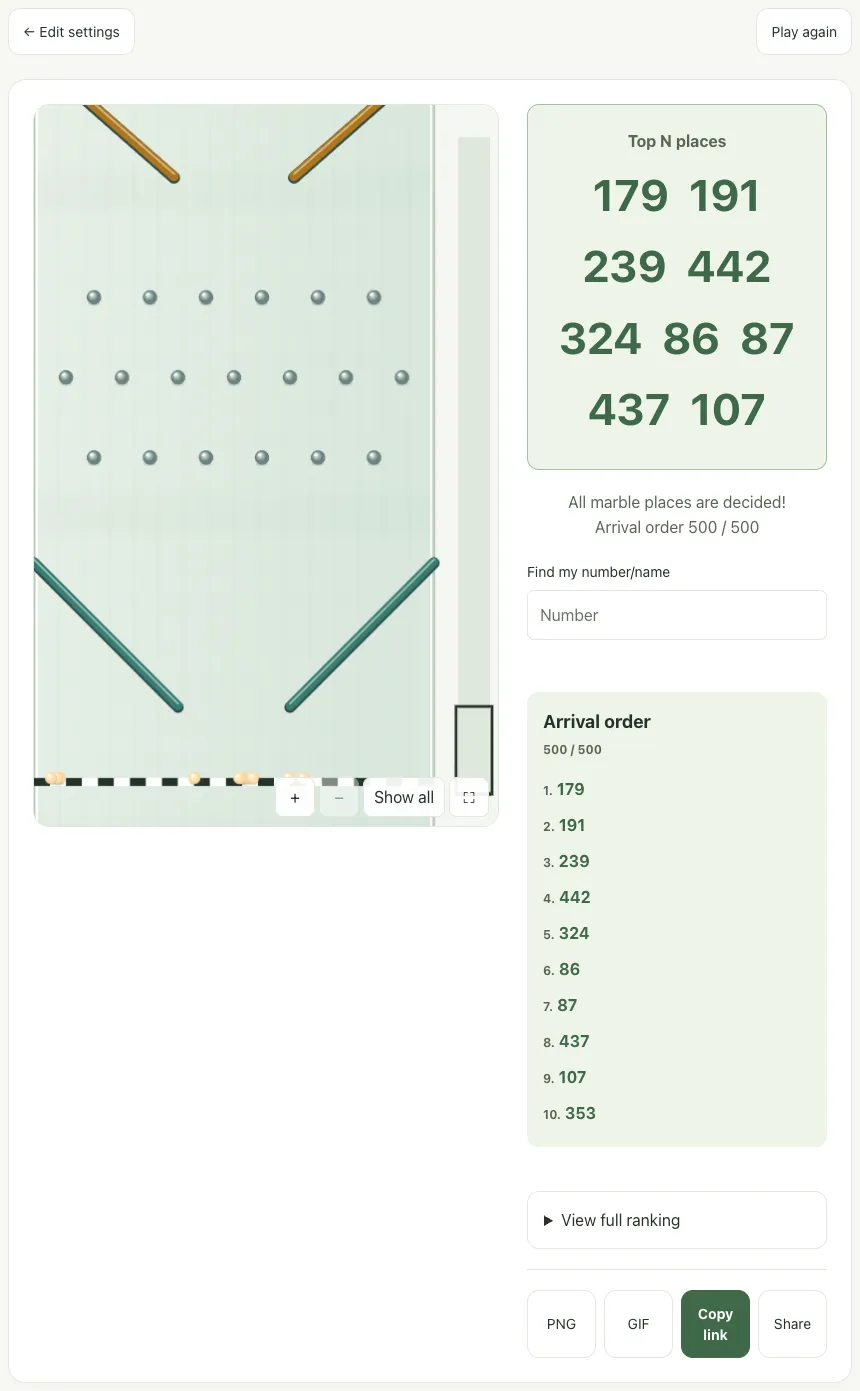
Marbles are released in a seed-shuffled order from the top, pass through pin fields, ramps, windmills and bumper sections, funnel together and cross the finish line; the order of arrival is the ranking. Marbles collide with each other, and they shrink as the count grows. The camera follows the leader and the arrival order appears near the finish.
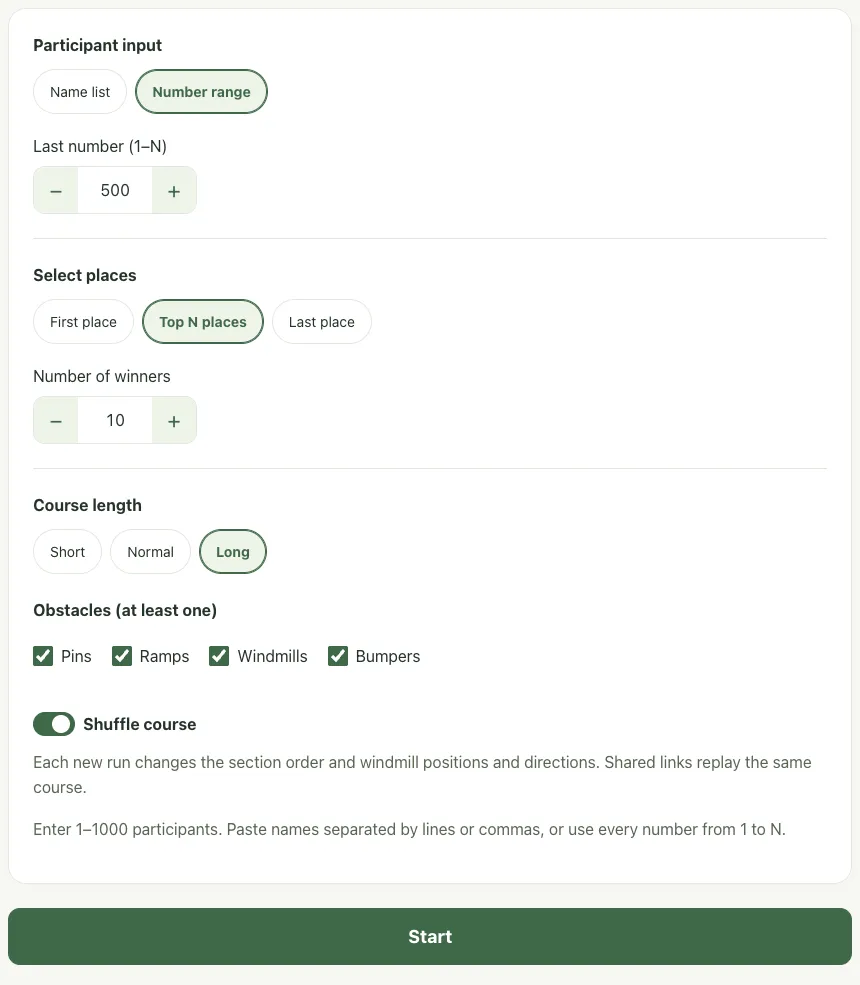
- Open Marble Drop (/marble/) and enter a name list or a number range.
- Choose a mode. For Top N, set N with the stepper.
- Choose a course length: Short (2 sections, about 10 to 15 seconds), Normal (4 sections, default) or Long (8 sections, about 1.8 times the height of Normal).
- Choose obstacles: pins, ramps, windmills and bumpers, at least one. Disabled sections are removed and the remaining ones repeat to fill the length. The course always ends with pins, a funnel and the finish line.
- Turn on Shuffle to change the section order and the windmill positions and directions every run, driven by the seed. A shared link reproduces the same course.
- Press Start, review the full ranking on the result screen, and share.
What length and obstacles change
- Short: for repeated runs at a live event. Maximum simulated time 25 seconds.
- Normal: the default, maximum 30 seconds. Older share links without course options all replay on this course.
- Long: for a broadcast screen, maximum 60 seconds. Rankings spread out more when there are many marbles.
- Windmills and bumpers scatter marbles sideways and reduce the influence of starting position. Pins only is the simplest and fastest.
- Default settings (Normal, all obstacles, shuffle off) are omitted from the link, which keeps it shorter.
Survival: a shrinking arena and the wall timer
In Survival, participant discs roam a circular arena and knock each other around with bouncy collisions. Like sumo without a rope, anyone pushed past the edge is eliminated. The arena shrinks to match the number still alive, and the last one standing wins. The result is the full order: winner, then last eliminated, down to the first eliminated.
- Open Survival (/survival/) and enter a name list or a number range.
- Choose a mode: Winner / Last N survivors / First eliminated.
- Choose the wall open time: 3, 5 or 10 seconds (default 5). Before it opens, discs only bounce inside the wall and nobody is eliminated; after the countdown, ‘Open!’ appears and eliminations begin.
- Press Start. After the wall opens the match runs for roughly 12 to 18 seconds, with the remaining count and the latest eliminations shown live.
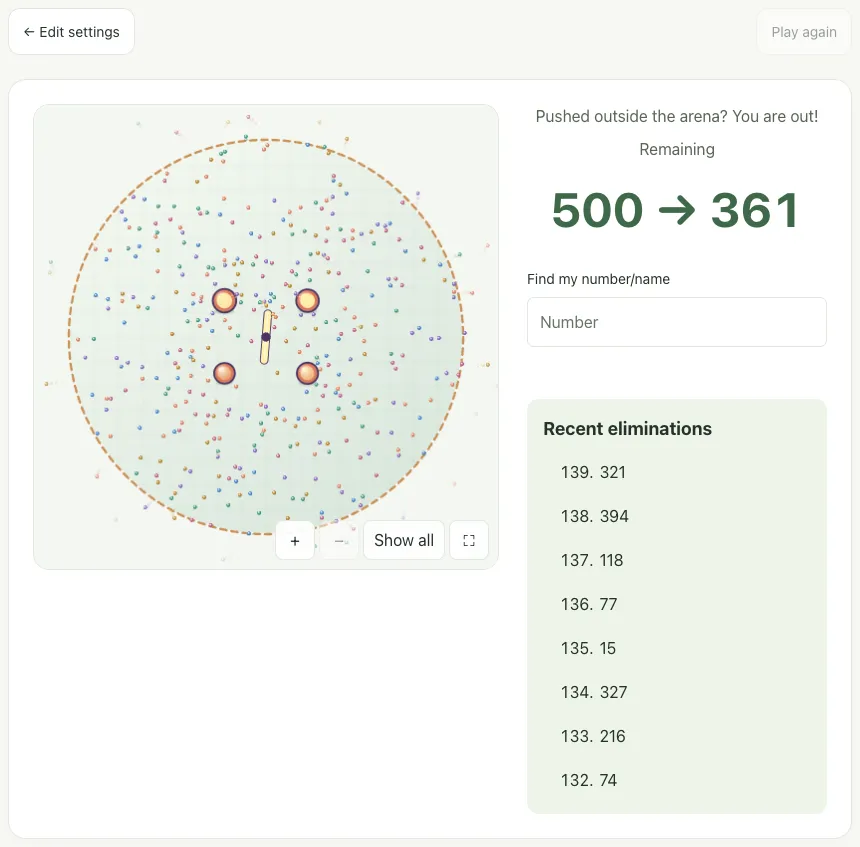
The wall timer is tension-building time. Disc speed is the same regardless of the wait, so a longer countdown does not alter fairness. For a live host, 10 seconds works well with the crowd counting down; for quick repeated rounds, 3 seconds is enough.
Why a physics simulation replays identically
Both games rely on deterministic physics. They step at a fixed interval (1/60 s) and restrict themselves to arithmetic and square roots. Transcendental functions such as sine, cosine and arctangent can differ in their last digits between JavaScript engines, so they are never called; values like the angles of rotating obstacles are precomputed constant tables. As a result the same seed, input and options yield bit-identical rankings on an iPhone and a Windows PC. The automated tests check ‘same seed, same ranking’, ‘every participant appears exactly once’ and ‘rankings are not strongly biased by starting position’.
Stuck marbles and time limits
- Marble: a marble that stops moving for a while is nudged. Any marble that still has not finished within the time limit (25/30/60 s) is ranked by how close it is to the finish, then by input position. This rule is deterministic too, so replay is unaffected.
- Survival: discs that slow down too much get a small seeded push to keep moving. If several are eliminated in the same step they are ordered by distance from the centre, then input position; if time runs out, the remaining discs are ranked by closeness to the centre.
- The development target is zero timeouts, verified across 20 seeds × 2/50/1000 participants × option combinations. The rules above remain as a safety net.
Recommended setups
- Live event broadcast with hundreds of entrants: Marble Drop, number range, Top N, Long with all obstacles. Screen-share rather than GIF, then post the link and PNG afterwards.
- Ten winners for an online giveaway: Marble Drop, a name list (100 or fewer) or an entry-number range, Top 10, Normal. Since the full ranking is produced, places 11 to 15 can serve as backups.
- One penalty among dozens: Survival in First-eliminated mode with a 5-second wall. Whoever is pushed out first takes the penalty.
- Fast repeated draws: Marble Short, or Survival with a 3-second wall. Play again → Start gives a fresh seed.
Common mistakes and fixes
- Names are not shown on the marbles: with many participants only numbers are drawn on the marbles and names appear in the results list. This is intended.
- N is larger than the participant count: N for Top N or Last N survivors must be an integer no greater than the number of participants; the app tells you if it is not.
- The link is too long: switch to a number range, or keep default options so the options block is omitted.
- A 1,000-entry run is slow on a low-end phone: computation can take several seconds. The page is not frozen; the worker is still simulating and playback starts when it finishes.
- No GIF is produced: GIFs above 3 MB are not generated. For busy scenes such as the Long course or 1,000 participants, share the PNG and the link instead.
FAQ
Does the starting position of a marble give it an advantage?
The starting order itself is shuffled by the seed, and the automated tests check statistically that the ranking distribution is not strongly tied to starting position. Windmill and bumper sections add scatter that further reduces the effect.
Which of the two is fairer?
Both use the same seed system and deterministic computation, and both have their winner distribution checked with statistical tests. The difference is presentation. Marble ranks by arrival, Survival by elimination, so Survival is the more intuitive choice when you are picking a loser or the first person out.
Does a shared link replay from the beginning?
Yes. A share link opens straight into the game screen, recomputes with the same seed, input and options, and plays from the start. Devices with reduced motion enabled fast-forward the animation, but the result is the same.
Related tools and guides
Running a Fair Draw for Events and Giveaways
Deciding Order, Teams and Winners in a Group: Which Game to Use
A tool for this guide

Mandumon Games
LivePlay wheel, ladder, animal race, Marble Drop, Survival Draw, Balloon Race, Disaster Dodge, draw, dice, liar and lottery number games in your browser and share results with a link. Time killers such as Little Aquarium, Dumpling Shop, Sand Play, Smash It, Block Tower and Sand Jars save your progress in the browser. Little Aquarium and Dumpling Shop also have an ending, and Block Tower, Sand Jars and Smash It have free leaderboards.